Showing posts with label Advertising. Show all posts

Sunday, June 29, 2014

On sale this week: 25-hour Day

Projects are piling up, staff are on vacation, and the stress is starting to set in.

There is not enough coffee in Seattle to help you meet all your deadlines.

A 25-hour day would be useful right about now.

Call me. I can help.
I'll manage your busywork or work on specific projects so your time is freed up for more pressing matters.
Tell me what you need and it's done.

I have over 10 years' experience doing:
  • Proofreading & editing
  • Copywriting
  • Content Curation
  • Customer Contact
  • Sales Support
  • Business Correspondence
  • Marketing Strategy
  • Web Design
  • Social Media 
And my work habits include:
Work quickly with very little supervision
Excellent phone skills
Type 70WPM
10-key 12,000 KPH

$20/hr
Email or call me today to get started
Pam Hawk
503-569-4686
phawkmarketing [at] gmail.com 

Sunday, August 15, 2010

Can you see your Customer's Point of View?

Your customers are the reason you are in business. That's a no-brainer. But have you ever experienced your business the same way your customers do?


It is critical for you to step back and see things from the buyer's perspective. As a seller, there are so many things that you worry about--sometimes to the point of obsession--that are of little or no interest to a buyer.


A great way to start is to first visit your competition, whether it's a shop in town or a website selling similar goods or services. What is your first impression? Is it polished and appropriate in appearance, or does it seem cluttered or hard to navigate? Does the store layout and display grab your attention? On a website, do the descriptions and photos give you a clear picture of what you'll be purchasing. The best advice I can give you is to describe as if you had no photos, and take photos as if you had no descriptions.


Example: Last week my husband and stopped by a local pizza joint. We had never been there before but they advertise all the time on eatsalem.com and we wanted to try it out.


First impression: Confusion.
To the left of the entrance, two guys were spinning pies and sliding them into the ovens. To the right was a line of people waiting to get to the counter to order their pizzas. Beyond the line was the entrance to the dining room. Straight ahead was a drink cooler, and behind that was a big wall filled with band posters and microbeers on tap.


The problem: What are you selling?
We stood in line, staring at the big wall, looking for the pizza menu, hoping to have our decision made by the time we got to the head of the line. This is silly, but we were in a pizza place, wanting to order a pizza, but we couldn't find the pizza menu. As we got to the head of the line we finally found it. The menu was only visible when standing at the front of the line, around the corner from the big wall, and just far enough back to be hard to read. Not only was it farther away, the print was small and the lighting was dim. The cashier waited for us to read the menu and discuss the options with each other. No wonder there was a long line.


The solution:
Put the pizza menu on the big wall so it's the first thing customers see when they walk in. Local bands and beer are great, but customers go here for the pizza, not to find out where the next concerts will be. Put the beer list with the pizza menu, or up by the register, since they are ordered at the same time. We were getting take-out, and there was a counter and seats where we could wait. It was at that time that we paid attention to the band posters. If we were eating in, we would have been more interested in looking at band posters while we sipped our beers and waited for the pizza to cook. 

So where to post the posters?

1. Plaster them along the bottom edge of the front window or along the counter where we waited (put them under a glass or thick acrylic top so they can be changed out regularly?)

2. Put them in a booklet at each table in the dining room

3. Plaster them all over the columns in the dining room (like on a college campus), wallpaper the bathrooms or the hall outside the bathrooms with posters.

4. Run then as a border across the top of the big wall where the menu should be or across the bottom edge of the drink cooler case at the entrance.

5. Make lots of copies and use them as placemats on the tables, a different poster for each place setting.

and 6! While band posters are a cool art form, why not advertise the bands in a way that brings in hungry new customers? Invite the local bands to come and play a small set to entertain your customers at peak times in exchange for a free pizza. For example, a half hour set from 6:30-7pm. Let the band announce their upcoming show. Make this a regular event and you'll have customers coming in to check out the new bands (over dinner) and the local bands will invite their own fanbase to come over for pizza and hear them play. (Is your competition doing this? I bet they aren't.)

Now pretend you are a first-time customer and enter your own business. 

Look at your shop the same way. 
It can be a real eye-opener.

(By the way, the pizza was great.)


Did you like this post? How about subscribing
in a reader or by Email?

Monday, July 6, 2009

151 Guerrilla Marketing Ideas :: Wholesale

Today's Low-cost, High-impact Marketing Ideas focus on Selling Wholesale.

For the full list of ideas, organized by category, check out this post.

  1. As far as some of my larger orders - I actually approached people I know who use large quantities of canes or beads on my own online and bead shops offline. Most of them at least heard me out and I got enough orders written that it's made it profitable over the years. Neither of those are quick fixes though - six months to a year before they start showing results.
  2. http://rosylittlethings.typepad.com/posie_gets_cozy/2006/01/wholesale_retai.html
  3. I priced my products with wholesale in mind from the start and think it's really important to figure out how to do that if you want to make a living from your work
  4. Also, several customers found me at craft shows
  5. have made for you custom POS fixtures, and offering a discount when they buy a whole fixture's worth, can be real money makers. Buyers like to get in and out easy, and If you have on display a whole filled fixture, with a price list for the exact items on the fixture, they tend to just buy twice as much
  6. Wholesale trade shows and trade magazines such as The Gift Shop magazine
  7. http://qbranchltd.blogspot.com/2008/02/selling-wholesale-part-i.html
  8. http://www.designspongeonline.com/bizladies
  9. I found that directly targeting stores myself is too time consuming. That just did not work for me.
  10. When I first started looking for wholesale accounts, I definitely did some soliciting. I created some line sheets (there are lots of examples out there if you google it) and attached them with a brief note of introduction. It worked surprisingly well, and really got my foot in the door
  11. Get sales reps! You pay them 15% of the sales, you sit back and listen to the fax ring in your orders, pay them commissions on a monthly basis, on PAID SALES ONLY!
  12. The first thing you should do is post that you wholesale in your shop announcement. That is the easiest way to start. Most people are looking for a catalog, if you convo me, I'll send you the link to my catalog.

As mentioned in this post, the ideas in this post came from my snippets of ideas saved from Etsy forum posts over the last year. If you provided an idea listed here, please comment and I'll credit the idea to you with a link to your shop, ok?


Did you like this post? How about subscribing
in a reader or by Email?


Wednesday, July 1, 2009

151 Guerrilla Marketing Ideas :: Video

Today's Low-cost, High-impact Marketing Ideas focus on Video.

For the full list of ideas, organized by category, check out this post.

  1. how about making a video/ commercial on youtube, with the right tags you're guaranteed to get views and visits
  2. Sell more than handmade items. Use video to sell your story.
  3. I am actually planning to vlog some craft tutorials to attract some traffic
  4. If the way your create or sell your product would be at all interesting to watch - create and post Youtube videos about it. Humorous commercials will get you attention here too!
  5. I've also thought about selling video beadweaving tuts for download.
  6. You can show people your products and services by posting videos to your website, blog, social networking sites, etc
  7. There is a website call animoto.com that allows you to upload images to their site, and they have some software that creates the video for you.
  8. I have done a couple of videos of the things that I make.

As mentioned in this post, the ideas in this post came from my snippets of ideas saved from Etsy forum posts over the last year. If you provided an idea listed here, please comment and I'll credit the idea to you with a link to your shop, ok?


Did you like this post? How about subscribing
in a reader or by Email?


Monday, June 29, 2009

151 Guerrilla Marketing Ideas :: Tell A Friend

Today's Low-cost, High-impact Marketing Ideas focus on Tell A Friend aka Word of Mouth.

For the full list of ideas, organized by category, check out this post.

  1. Make up some business cards to be your "Tell A Friend" cards. You can use these to create a referral discount program, where each customer is assigned a unique referral # that is printed on their tell a friend cards. If this # is mentioned in future orders, the original customer receives an X% discount on their next purchase from your store.
  2. If you are selling multiples of the same item and sell one, you can include a few "tell a friend" business cards with the order - that include a photo of the item they purchased. Customers will sometimes share these with people who ask them about your item.
  3. When a customer refers a friend to my shop and that friend buys something, I offer the first customer 10% of their friend's purchase as a store credit. So if the friend buys a $20 item, the first customer gets a $2 credit on their next purchase. They can save up their credits and use it for their entire purchase (They still pay shipping.) Your customers would be really working hard to get people to buy from you. The new person would need to give the first person's name and convo you to say 'So and so referred me to your shop'
  4. I would put a 10 referral limit on the referrals and only offer it to a person that actually buys something from you.
  5. Assign everyone a code that they must pass on to whomever they refer. Referee must put code in notes to get discount. It could be something as simple as the person's name with letters or numbers or something like that. If you keep a little chart, it'd be pretty easy to keep track of.....
  6. I made a purse for a friend of mine that lives far away from me. Anyway she had sent me a message on MySpace telling me that all her friends LOVE her purse....and one of her friends saw that comment and found me....now she's interested in getting something from me!
  7. An unknown customer (that is one with no previous knowledge of you) who has a positive experience will tell 5 people. That same customer - if they have a negative experience - will tell twice as many people
  8. When I first opened my shop, I sent an email to my friends and family. My brother- in -law forwarded it to a friend who was remodeling their house and they bought a painting.
  9. I remember from the guerilla marketing book was that I should be spending half my marketing efforts on my current/previous customers
  10. http://www.practicalecommerce.com/articles/935-Ecommerce-Know-How-Start-a-Buzz-with-Word-of-Mouth-Marketing

As mentioned in this post, the ideas in this post came from my snippets of ideas saved from Etsy forum posts over the last year. If you provided an idea listed here, please comment and I'll credit the idea to you with a link to your shop, ok?


Did you like this post? How about subscribing
in a reader or by Email?

Wednesday, June 24, 2009

151 Guerrilla Marketing Ideas :: Contests & Giveaways

Today's Low-cost, High-impact Marketing Ideas focus on Contests & Giveaways.

For the full list of ideas, organized by category, check out this post.

I want to preface today's list with a link to this post in Etsy's Storque regarding contests. By sharing these contest ideas I am not advocating contests, but just relaying info about what other people have said or done.


That said, here is today's list of ideas:

CONTESTS

  1. Enter your crafts into contests...such as the county fair. Winning competitions and contests is a good way to get your name out there and win some money or recognition to boot!

GIVEAWAYS - Do they help?

  1. I just recently ran my first blog giveaway. I had put an announcement in my shop announcements. I had over 400 views that weeks and over 100 people register for the contest. I would say that was pretty successful, and it was a ton of fun. ;-)
  2. It is pretty easy, and it does get you traffic
  3. I know that it generates a lot of views, some hearts, and we've got our fingers crossed about more sales :)
  4. I participated in a blog giveaway earlier this week on another seller's blog that gets a TON of traffic and someone who read that blog found my site via that blog and purchased $80 worth of prints from me

GIVEAWAYS - Great Ideas

  1. EcoEtsy Team did a scavenger hunt through participating Etsy team shops - http://ecoetsy.blogspot.com/2008/02/st-patties-day-team-scavenger-hunt.html
  2. You could have a contest to post a picture of yourself in one of the ugliest fads you've ever owned. E.g. slouch socks with rolled up stonewashed jeans. And then vote on which one you think is the ugliest and they win something.
  3. Do a monthly giveaway for those who sign up for your blog/newsletter.
  4. I have a mailing list that I ask people to join, and I pick monthly from that list. I am also having a blog give away right now, and to have a chance to win, you just have to comment to that post.
  5. I have people enter my giveaway by sending me photos of things made with beads from my store. I let them know I'll use the photos to create product pages that are inspiring and creative instead of the same drab photos.
  6. Every blogger that featured us during the month of April, would be entered in the drawing to win.
  7. I often like product testers for some of my items before I launch them for sale. I was thinking of doing a giveaway for a beta product, so it could be something small or big, with the expectation that the winner(s)would use it, abuse it and answer a few questions in a month's time.
  8. OneWorld One Heart - an annual worldwide giveaway every January
  9. I have a giveaway at the beginning of every month.
  10. How about a "free flair" giveaway where I would send people a free button and then I would ask them to send me a picture of their "flair" in action--- wearing the button on a jacket or purse or whatever--- that I would post on my blog with their link.

As mentioned in this post, the ideas in this post came from my snippets of ideas saved from Etsy forum posts over the last year. If you provided an idea listed here, please comment and I'll credit the idea to you with a link to your shop, ok?


Did you like this post? How about subscribing
in a reader or by Email?


Thursday, June 4, 2009

25 Places to get Promotional Products

Today I was reading this article about how to market a business effectively by using promotional products.

Have you used promotional products to market your business? If you're wondering where to find them, here's a big list of places where you can order promotional products. I have used the first two myself, but there are a ton of them out there.

  1. http://www.vistaprint.com/
  2. Oriental Trading Company
  3. http://www.promopeddler.com/
  4. http://ocs.landsend.com/corpsales
  5. http://www.herodecks.com/
  6. http://www.top-brands.com/
  7. http://www.zagwear.com/
  8. http://www.e-corporategifts.com/
  9. http://www.branders.com/
  10. http://www.pensrus.com/?s=gaw&kw=promotional+pen
  11. 4imprint
  12. Empire Promotional Products
  13. Silver Star Promotions
  14. Superior Promos Inc
  15. http://www.logosoftwear.com/
  16. http://www.gimmees.com/
  17. http://sweetpromos.com/
  18. http://www.compleat.com/category.i?catid=1
  19. http://www.promogeek.com/
  20. http://www.companycasuals.com/cs/CustomBrowser?customer=adco
  21. http://www.epromos.com/browse/Ne1-N11618.html
  22. http://www.embroiderysuperstore.com/designs/stock_design_search.aspx
  23. http://www.apromotionaloutlet.com/apparel.html
  24. http://www.empirepromos.com/
  25. http://www.rushimprint.com/

Don't forget your own creative efforts! If you can create a cost-effective promo item for yourself that ties into your business and fits your brand, go for it!

I'd love to see what interesting promo ideas you have come up with for your own business!

Will you comment here with your ideas or links to a blog post about what you've done?


Did you like this post? How about subscribing
in a reader or by Email?

Wednesday, May 27, 2009

151 Guerrilla Marketing Ideas :: Business Card Advertising

Today's Low-cost, High-impact Marketing Ideas focus on Business Card Advertising.

For the full list of ideas, organized by category, check out this post.

  1. drop cards at hairdressing salons, cafes
  2. drop posters on bulletin boards at work
  3. drop flyers in kitchenettes at work
  4. I did have an intranet classifieds listing at work- unfortunately they're onto me and it's gone now :(
  5. make gifts for children of friends- with card included for Mum!
  6. Print your business card on a pen and leave them everywhere - when you sign the check at a restaurant, when you sign in at the doctor, when you write a check at the grocery store, when you sign your kids out early from school...
  7. tape your business card to the inside of a bathroom stall
  8. What about cards left in taxis? And pockets of clothing you try on (those that aren't sewn up that is!) Or giving a bunch of stuff to a thrift store with tags attached?
  9. Whole Foods has a bulletin board in their front entrance and they let people put things up their all the time.
  10. Coffee shops are great for leaving cards.
  11. i put flyers up at "public" places; laundromats, the community building, the library, the park, the beach etc.
  12. a cafe owner had wrote "free coffee with this card" on the back of all his cards, that way the card finder has to come into the cafe to get some coffee, it's working and FAR less expensive than "advertising"
  13. On a side note, another good place to advertise is at your daycare. Lots of mom's picking up their kids would probably really love a free goodie bag & some business cards to boot!
  14. I carry a large Ziploc bag with half sheet sized flyers I made on PS and copied onto brightly colored paper at Kinko's in my van, with a roll of Scotch tape and a pack of thumb tacks. You never know where you'll end up that'll need some Etsy love. :)
  15. I leave my business cards with the tip in restaurants, and I hand them out to the staff at doctors offices Of course the key is to leave a good tip!!!!!!!
  16. I went to my OBGYN today for that oh so fun check up... DR asks me what I have been doing lately (of course I am sitting there in just a paper napkin and he wants to chat) anywho- I tell him about my new little biz adventure and he suggested I bring by some fliers and stuff and he will let me advertise there (perfect for me, baby items at the OBGYN office!) talk about multi tasking! LOL
  17. What if those of you who screenprint, had a little onesie, or burpcloth printed out with something like "I love Dr. so and so" or "Delivered with love by Dr. so and so". Something cute, but also giving a little promo to the Doc. I bet some obgyn's would love to purchase some of those to give out to new moms, and if I were a new mom who loved my obgyn, I'd have my baby wear it.
  18. For those who do animal-themed work, like I do, finding out if any of your local vets would be okay with you posting a card on their bulletin board
  19. Then, you could work out a deal, either by putting your etsy address on the item itself, or having the doctor include your business cards, or having a little tag on the item that says that the item was made by you, a local artist and mom who has more items available at *****.etsy.com
  20. When I leave business card or my booksmarks someplace. I mark them in a corner with the first two letters of the name of the place that I left then. Like I added 60 booksmarks to my son's goodie bag party and on the back I put the letter LE. LE stands for Long Elementary. I I go to the library I put DL, stands for Downtown Library, SD Supermarket Davidsons, SS Supermarket Safeway. This way I can ask them what letter are on the back this way I know where they pick up the bookmarks. Also I give them 10% off if they buy using the code: "Please mention the code on the card and you get 10% 0ff." This way I can see which place is working out for me.
  21. Everytime I use an ATM machine, I leave a business card on the little ledge beside it or on the keypad.
  22. Another good place is at fabric stores. The one that I go to has a board where others leave their business cards and flyers.
  23. I leave biz cards in my shopping cart/basket after I check out at the grocery store
  24. I've tucked mine inside those Sky Mall magazines tucked behind the seats in airplanes!
  25. i leave aceos in tip jars
  26. What places are you thinking of putting your cards? For my cooking class I teach at the city's rec center, I put flyers at the library, the Whole-Foods-ish grocery store, and a Starbucks or two. For my Etsy shop I'm thinking of putting cards/flyers at places moms and babies go but am having a hard time thinking of mom-places that have billboards
  27. Try asking any friends or family that work in office buildings to take some of your cards and leave them in the break rooms and cafeterias. I see them a lot in the building where I work, usually on bulletin boards or stacked by napkin dispensers.
  28. If you are selling multiples of the same item and sell one, you can include a few "tell a friend" business cards with the order - that include a photo of the item they purchased. Customers will sometimes share these with people who ask them about your item.
  29. I have been selling some items on ebay. When I package up my item for shipment, I include a small card that reads "thank you for your purchase - be sure to check out my other items on etsy" and have my etsy address at the bottom. I also include my (etsy) business card.
  30. Last night I gave the property manager a stack of my cards and he is going to put one in each of the new tenants(homeowners) welcome package! I also went around and hit up every bulletin board in the apartment complex.
  31. Whenever I take a flight I leave cards in the seat pocket and/or the magazines.
  32. I leave free buttons with my biz card attached pretty much anywhere I can without being caught. Mostly bathrooms etc.. Its my PIF with a motive I guess...I dont know if Ive gotten any looks but what the heck... I usually use my Canadian Girls Rock! buttons....I cant wait till that day Im standing in line at a coffee shop and see one of my buttons on the napsack of the girl in front of me...I might cry! LOL
  33. Got business cards. They have a description of what I sell, my name, my email address, my store address and the line "Come see what I made today!" I hand out two to each friend I see during the day, the babysitter's mom, and enclose two in every letter and package I send out.
  34. I got some great results by leaving fliers in stores around town, any store I went to that would allow it got a nice little stack of my fliers. I would also put them on the bus and subway seats. I had a few people report they found out about my business that way.
  35. I would only put on your business card, your name, your etsy store name, your etsy web address and your e-mail address. I don't have my address or phone number on there. If people want to contact me they can get to an e-mail address with a computer or they can come and leave a message by going to etsy.
  36. I live in a college town and the students are back so I grabbed a pal and hit the high-rise dorms. They have bulletin boards by all the elevators usually covered in weight loss or work from home ad's. I did 4 different dorms each with 25 floors! My feet hurt.
  37. Whenever there's one of those raffle boxes for a prize or to enter your info to be on someone else's mailing list--instead of filling out the little form (and hunting down a pen) I just drop my business card in the box instead--it's a lot quicker for me, and all my contact info is already on there.

With all of these great business card ideas, there are also some safety concerns to think about.
BUSINESS CARD SAFETY

  • I would only put on your business card, your name, your etsy store name, your etsy web address and your e-mail address. I don't have my address or phone number on there. If people want to contact me they can get to an e-mail address with a computer or they can come and leave a message by going to etsy.
  • Archdiva said: There was another discussion here in the (Etsy) forums about putting a phone number on business cards. Several no cost or low cost options for voicemail were discussed which would allow you to have a contact number on your cards without giving out your home or personal number.
  • I wouldn't put my home address on business cards that I drop here and there. Instead I use a PO Box so creepy people can't locate me so easily.


As mentioned in this post, the ideas in this post came from my snippets of ideas saved from Etsy forum posts over the last year. If you provided an idea listed here, please comment and I'll credit the idea to you with a link to your shop, ok?


Did you like this post? How about subscribing
in a reader or by Email?

Monday, May 18, 2009

151 Guerrilla Marketing Ideas :: URL Tagging

Today's Low-cost, High-impact Marketing Ideas focus on URL Tagging.

For the full list of ideas, organized by category, check out this post.

  1. I like to post my URL only in weird places so people go out of curiousity. I do most of my advertising (for my own webpage, my etsy shop is not up yet) on Public Transit. I have a rubber stamp with my URL and I will warm it in my hand for a few minutes, then stamp with no ink onto the frosted or icy walls of the bus shelter. It "etches" the URL in and it stays there until the next thaw and people come out of curiousity. I live in Canada, so I can easily do the ice stamp and it will stay there for a few months. I guess it won't work for some of you guys down there. Maybe you could write your URL in the sand at the beach?, so the ice stamp can stay there for 5 months sometimes.
  2. Put your shop url on any form you have to fill out at the doctor's, credit card applications, etc. Also enclose with bill payments.
  3. I've got my etsy site address on the back window of my car
  4. Magnetic car stickers & bumper stickers = http://www.vistaprint.com/car-magnets/car-door-magnets.aspx?GP=4%2f25%2f2009+6%3a01%3a46+PM&xnav=top&rd=21
  5. I have a decal on my car windows with my etsy username, shop address and tagline. I have the same info on a tote bag that I basically use for a purse
  6. Temporary tattoos
  7. my myspace name is my actual website
  8. Put a link to my store and "Come see what I made!" in my email signature.
  9. If you have an actual physical location, or are at a craft fair with sidewalks, use sidewalk chalk. "Awesome cool Whatever It Is You Make" and an arrow works amazingly well.
  10. I write my web address and add a graphic using a stencil with chalk on the sidewalks wherever me and the kids go
  11. I remember someone saying they go to Best Buy and put all the internet linked computers on her Etsy shop. Ditto for the Mac store
  12. Put stickers or get a stamp made with your web url/shop name etc. and stick them on and stamp anything :)
  13. When paying bills, sending mail, even send them to school with the kids on notes to the teacher, hand one to the door greeter at wal-mart
  14. in chat rooms i tell people not to look in my shop
  15. Oh yeah, I have my url on my envelope labels too.
  16. I also have my URL on the back of my car, super big! The sticker only cost me $20 and you can read it from a few car lengths away!
  17. I have a return address label that has my return address on it and 2 spaces below has my Etsy website. I asked my Postmaster if that was OK & he said "fine".

As mentioned in this post, the ideas in this post came from my snippets of ideas saved from Etsy forum posts over the last year. If you provided an idea listed here, please comment and I'll credit the idea to you with a link to your shop, ok?


Did you like this post? How about subscribing in a reader or by Email?


Thursday, February 12, 2009

Giveaway. Here. Now.

As of this writing, there are 50 followers to this blog.

I'm deeply honored that so many people have chosen to follow this blog and am thrilled to see my traffic increase daily.

To commemorate the 50th person to follow this blog, let's have a giveaway. Why not? I've blogged about them enough.

How does this sound?


+ Free email marketing consultation to help get you on the right track with marketing your product or service. You choose whatever area you want to work on. (Up to 5 emails sent from me to you; equivalent to 1 hr face to face consultation.) $75 value

+ Free badge and matching Etsy shop heade
r created from your photo - this could be used for a special promotion or as your every day image - you choose. $25 value

+ Free badge (same as above) with text box for you to place on your blog. $10 value

+ Free advertising spot
for a month here, at the top of the right sidebar. $1.50 value (this could change*)

*At this moment, the Project Wonderful ad box is bidding at $.05/day, so to be fair I'll put this at a $1.50 value. With my constant increase in traffic, this would likely go up.

The total package is valued at $111.50 and will help you to "boost your biz," as my PW ads say.

To enter, leave a comment here telling me about the one marketing or promoting thing you're struggling with.

I'll keep the comments open until 11:50pm Saturday February 28 and will have Random.org help pick a winner on March 1st. Winner will be announced on March 2. Giveaway open worldwide; be sure to leave me an email address or a link to your blog/website/online store.


Monday, February 9, 2009

Make a badge to promote yourself


Last August I posted a tutorial on using Flickr to design a Project Wonderful Ad. Today I'd like to expand on that and show you another neat thing you can do with the graphic you made in that tutorial.


If you are a more recent reader or would like to review, here's the original post:


Photobucket

Picking up where the last tutorial left off, open a new tab or window and go to Photobucket. Don't have an account? It's free and you can't complete the rest of the steps on Flickr because of Flickr's TOS. (There may be other photo sites you can use; I'm familiar with Photobucket, though, so that's the one I'll explain.)

Photobucket allows you to link the image to any URL you want. Flickr only allows you to link the image back to its original page in Flickr. If you break this rule, Flickr could suspend your account, and that would be bad.


Upload your newly created picture/graphic to your Photobucket account.


Once the picture is uploaded, click edit, then select resize.


Change the dimensions to 125x125 for sidebar badges. You can save it in other sizes as well. I highly recomment naming it with the size so whenever you want to find it quickly, you can. An example of this naming technique would be something like : Feb promo 125x125 and if you save it in another size for another purpose, you could name that one Feb promo 250x250.


When you hover your mouse over the picture in Photobucket, you get some code choices. (You can click Link Options to see all the choices.)


So now you're ready to have some fun. Try inserting it in blog posts, emails, Craig's List, MySpace, Facebook, other forums and message boards (if images are allowed)... Think of it like a sticker. Can you think of other places where you can stick your image?


Here's the key: Whenever you post the image somewhere, make sure it points to you: your blog, website, Etsy store, or to what ever you wish to promote. Depending on where you're posting it, you can either click on the image and turn it into a link (just like how you turn text into a link) or you can change the HTML to link it to your preferred location.

To change the HTML of the link, look at the code. At the beginning of the code, replace the text in blue with your link URL.

<a href="http://s197.photobucket.com/albums/aa39/PassItOnPlates/Web%20images/?action=view&current=giveaway1-09.jpg" target="_blank"><img src="http://i197.photobucket.com/albums/aa39/PassItOnPlates/giveawaybadgefeb1-7-1.jpg" border="0" alt="Photobucket"></a>

For futher tweaking, look where it says alt="Photobucket"

This is the text that will show up when your viewers hover their mouse over the picture. I'd recmmend changing that to the name of the item in the image, your site or shop name, or something that relates to what you're promoting.

That'll get you started. Come back Wednesday and I'll explain how to use what you've learned today to make yourself one of these:


Did you like this post? How about subscribing in a reader
or by Email?


Wednesday, January 28, 2009

EntreCard is a waste of time


(I hope I don't catch any flap for negative comments about EntreCard...)


I tried it for several months and discovered three things:
1. You need to take the time to drop your card on a lot of EC users in order to get a lot of traffic to your blog. This takes time even if you have a program to help you with this.
2. When dropping a lot of cards, there is no time to actually read the blogs where you're dropping.
3. Even if you get a lot of traffic on your blog, people are just stopping by, dropping their card, and exiting without reading the content.

I'm just not so impressed with EntreCard.

I've seen high traffic blogs with the EC widget. Once they take the EC widget away, the traffic drops way down. The number of comments on the blog, however, remain the same.

My opinion:

If you want a lot of traffic, join EntreCard and drop your card everywhere.

If you want a lot of quality traffic who reads and appreciates your blog, don't bother with EntreCard.

A friend of mine summed it up by saying "EntreCard is the freeway through blogland. You speed through and miss all the little towns along the way. I like to take the country roads so I can stop and enjoy the little towns I pass through. If I like a particular town, I'll probably visit again."

(And remember, all comments are do-follow, so your comment left here supports YOU.)


Did you like this post? How about subscribing in a reader
or by Email?


Friday, September 19, 2008

Blog Bling: Quick Ribbon

Here's a bit of blog bling for you to try out: Quick Ribbon.
I discovered this at Psilology, and had to give it a go. The results - very easy, looks good.

I'm using this tool on my Pass It On Plate blog and Plate Diaries
to promote giveaways and sales. The ribbon is a link, so when people click it they go to the blog post that talks about that promotion. You could use it to advertise your special events or just point people toward your store/shopping cart. It's up to you.

The Quick Ribbon website makes it extremely easy to design your ribbon. The trick is installing it into your blog. Installation is easy, but it means you have to go into the actual HTML of your blog. Don't worry, I'll walk you through it here.

Install your own Quick Ribbon in 5 steps.
1. Go to the HTML of your blog. As always, copy and paste ALL your code into a notepad document on your computer before touching anything. Save the document.
2. Near the top of your code, find the word <head>. You could hit ctrl+F and your computer will find it for you.
3. Insert your Quick Ribbon code just under <head>.
4. If you have a favicon under <head>, you can put this above or under your favicon. It shouldn't matter.
5. Save, then go look at it.

One note: I discovered that the code makes the entire corner a hot spot, meaning if you click anywhere in the corner, even if the ribbon isn't covering it, it will take you to the link you programmed into the ribbon. If you are using Blogger, this will affect how you get to your dashboard. Just click New Post and navigate to your dashboard from there. It's a little annoyance in my opinion, but I can live with it for the occasional use of the ribbon.

Ok - go try it!
When you have it installed, be sure to comment here with your URL and we'll all go and check it out!


Monday, September 8, 2008

Video advertising

This morning, I saw an interesting email in my inbox offering a free video ad based on my own images uploaded to my uShops store. This is a brilliant idea. Merchants who take advantage of this free offer would be wise to post that video to their blog, website, social networking sites (such as MySpace, Facebook, Ning, etc.)

On a side note, check out the bottom of the email where you can share this email with various other social networking sites with just a few clicks. That's some very clever viral marketing.

Will I be making a video of Pass It On Plates? You bet.


Meanwhile, I'm intrigued by the links to del.icio.us, digg, etc at the bottom of the post. I will examine that further and talk more about it in an upcoming post.

Read on...

Hi,

Our mission is to help you sell online.

We, at uShops are excited to announce that we have partnered with companies to provide video ads to all shops. We think this will provide our users a great marketing opportunity to showcase their products in a interactive manner within their own community, websites , blogs or video sharing sites. More views will lead to exposure which will convert into sales.

For a pilot project, we are inviting your shop(and products) to be morphed into a online interactive video. If you choose, we will create and host a 30-45 second video of your shop (its products) and provide with you a link to post to any online site. We will post selected videos on the uShops blog as well.

Just send a email to shopAds@ushops.com and enter "I want my Video ad" in the subject to have your video sent to you by early next week (1st Sep 2008). By sending the email you give us permission to create video using your product images. We will need at least 5 products in your shop to be eligible for the video creation service.

BTW - This pilot service is free to use and you can post this video to as many site as you like.

Feedback , comments and other suggestions on this topic are welcome.

Thank you for using uShops
uShops Support team
http://www.ushops.com
Email: support@ushops.com


This message was sent from notifications to xxxxxxx@gmail.com. It was sent from: redbytes software, 1801 Wing on building, 26 des Veoux road, Central., Hong Kong, NO NA, Hong Kong. You can modify/update your subscription via the link below. Email Marketing Software

Manage your subscription
View this message in the iContact Community: View message Comment on this message Receive as RSS
Share this message with others: del.icio.us Digg reddit Facebook StumbleUpon


Wednesday, August 20, 2008

Six steps to designing a Project Wonderful ad

Now that you have some info on buying and selling advertising with Project Wonderful, what ad will you use to advertise your site or hot new product? Today I'll show you how to make a great-looking Project Wonderful ad without any special computer programs.

You can create one in just 6 easy steps using your Flickr account.

1. Look at Project Wonderful and decide what ad size you want to make. This quick tutorial is for the 125x125 square ad.

2. Log into your Flickr account and choose an image. Click on it.
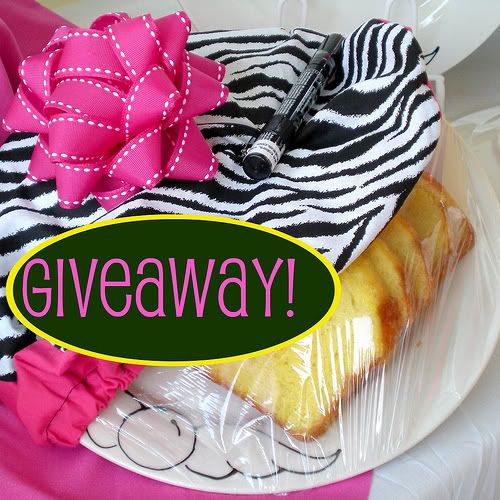
(I made an ad based on the image used for the giveaway blog post so they matched.)


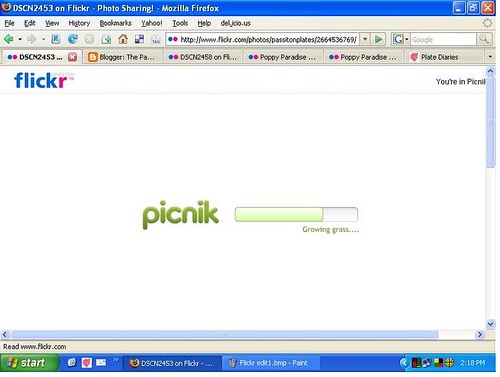
2. Click Edit. Flickr's editing program, Picnik, will open. Be patient, it takes a moment. When it opens, you will see two tabs. One is Edit and the other is Create. You will start out in the Edit tab.


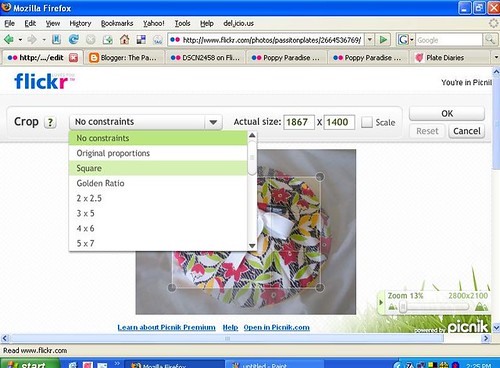
3. Crop your photo. If you are making a square ad, select the square from the drop down box. (These screenshots are from an upcoming blog post... You'll just have to bookmark this blog or subscribe so you don't miss my next Flickr tutorial.)


4. Resize your photo to the Project Wonderful ad size you want to make. In my case, I typed in 125 and Picnik did the rest. When the shape and size are to your liking, click OK.

5. Now for the fun part. Click the tab named Create. Type in your advertising word or words and play with the color, font, layout, and other settings until it's perfect.

..........

6. Save your work. Before you complete the save process, let Picnik know if you want to save a new copy or replace the original. I recommend always saving a new copy so you can use the original for other ads or projects. Save this image to a location on your computer so you can easily upload it to Project Wonderful.

Ta dah! Quick and easy.
And fantastic-looking.

If/when you make one, comment here with a link to your ad. I'd love to see how it turned out. Plus, if you send me a link to your ad, I'll write up a post to be published next week to show off all the ads. Hey, that's free advertising for you.

Ok, also... Come back tomorrow to find out who won the big giveaway!

Monday, August 18, 2008

Advertising on Project Wonderful

Continuing from last Friday's post, let's talk about how to advertise your blog or online store through Project Wonderful (aka PW.) There are two ways to find the ad boxes that you want to bid on.

One way to find ad boxes to bid on is to surf other blogs and look for PW ad boxes. If they have one or more with a link inviting you to advertise on that site, just click that link to get to their bidding page. From there you can see their traffic stats and ad pricing over the last month, maybe learn a little about that site and their policies regarding advertising they allow on their site, and a link to see all their other ad boxes.

The other way is to go to the PW website and do a search based on your preferred ad box size, how much traffic the site gets, where the traffic comes from, etc. There are a lot of online comix sites, but you can tailor your search by keyword, so if you want to advertise on sites within a specific topic you can search for that. Just like any internet search, if you use general keywords you will have a long list of ad boxes to browse through, and if you use more specific keywords you will see ad boxes that are more in line with your desired niche. From there, you can sort your results based on the ad box price, amount of traffic, alphabetically, etc.

You may find it handy to use both techniques to find ad boxes.

Some things I recommend doing, especially if you're starting out are:

1. Bid $0 or $.01 on as many boxes as you can, even if the current bid is a few cents. When the higher priced bids expire, your ad will be shown in the space until the bidding price goes up again. It's a great way to take advantage of supply and demand pricing and get your ad seen on boxes you may otherwise not have budgeted for.

2. Set up an advertising campaign. You set the parameters, such as the level of traffic to the site, what country a certain % of traffic comes from, keywords used to describe the sites, price range of the ad boxes, etc. This will get your ads to a broad range of sites automatically and you don't have to babysit your ad to keep placing it here and there. This is quite simple to do, as PW walks you through the entire process. It's all point and click.

3. Send a message to the ad box owners where you are having success. Thank them for the opportunity to advertise on their site, point out what you like about their site, and let them know how you have benefited from their ad box. If you have ad boxes on your site, invite them to check it out and consider placing a bid on your ad boxes. It's kind of an "I'll scratch your back if you scratch mine" approach, but joint efforts in advertising is almost always a win-win. If this first step develops into a nice conversation, you could blog about it and let them know about the blog post. They, in turn, may mention your blog post, driving more (free) traffic to your site.

4. Do you have a special sale or event going on? Make up an ad specifically to draw people to that event. Set up a campaign to have PW automatically bid on sites that compliment your event, and schedule your ad campaign to end just before your event ends. An example is the giveaway I have going on through August 20. I set up a campaign with the ad shown below. The ad linked to my blog post and the ads will disappear about 15 minutes before the giveaway ends.


Remember, the key to great advertising is patience and consistency. Once you place your ads, give it a few days, weeks, or maybe even a few months to really see how your efforts are paying off.

Coming up next:
Setting up ad boxes on your sites (or, making money with PW)
A quick and easy way to make PW ads (like the giveway one shown above)

Don't want to miss a post? Click the subscribe button on the sidebar today!
.

.

My August PW campaign


PW-8-08.JPG, originally uploaded by passitonplates.

I set up an ad campaign on PW specifically for the giveaway that runs through August 20. When setting up a campaign, I tell PW what kind of bids I want to make and it automatically does the work for me.

In this campaign, I specified that PW should look for adboxes that:

  • Support square ads
  • Support text and graphical ads
  • Have at least 1 page views today
  • Have on average at least 20 unique users over the past 5 days
  • Have at least 80% of their hits from United States over the past 5 days.
  • Describe itself using these tags: women, cooking, baking, cookies, craft, handmade

As you can see, I've had a few thousand views and a couple dozen hits, which gives me a nice CPC (cost per click).

I have two other ads that I'm bidding on by hand (same ad, same goal) on the website Corporette and Lipstick to Crayons. You can see how lower traffic and lower click rate affects my cost per click.

So why on earth am I bidding so much more on Lipstick than Corporette? I checked out their websites and see my target demographic there and I figured it would be worth the higher bid price to get my ad in front of their readers.

I hope that helps!

Oh - one more tip. You can click on each website with an ad box to find out their traffic stats. I feel like my figurative slip is showing by telling you this, because I wish my stats were a lot higher, but it's important for you to know how to see what kind of traffic a site has before you commit to placing a paid ad on their site.

(I guess I'm happy that my stats are not consistantly zero day after day!)